TL;DR
- The EU Import One-Stop Shop (IOSS) allows non-EU sellers to collect, declare, and pay VAT on imported goods with a value up to €150 in a single monthly return.
- Registering for IOSS can reduce customs friction and improve delivery experience for EU buyers.
- This guide covers eligibility, registration process, operational requirements, and common pitfalls.
- Key facts: IOSS is not available for goods sold via online marketplaces that already handle VAT; you must appoint an EU-established intermediary if you are outside the EU.
- Always verify current EU rules and your specific situation with a tax adviser.
Introduction
For non-EU ecommerce sellers, selling to EU customers often means dealing with complex VAT rules. Before July 2021, each EU member state had its own distance selling thresholds, and parcels under €22 were often exempt from VAT, creating an uneven playing field. The EU introduced the Import One-Stop Shop (IOSS) to simplify VAT on low-value imports (≤ €150) and to ensure VAT is collected at the point of sale rather than at the border.
Without IOSS, your EU customers may face unexpected customs handling fees and VAT collection charges upon delivery, leading to abandoned carts and negative reviews. With IOSS, you charge VAT at checkout, remit it via a single monthly return, and your parcels clear customs more smoothly. This guide walks you through the registration process, operational requirements, and common mistakes—so you can decide if IOSS is right for your business.
Use this article as a practical reference: follow the step-by-step checklist, avoid the pitfalls, and consult official EU sources for the latest details. Remember, IOSS rules are harmonized across the EU, but implementation details may vary by member state.
Main Content
What is IOSS and Who Needs It?
The Import One-Stop Shop (IOSS) is a special VAT scheme for distance sales of imported goods with a value not exceeding €150. It applies to goods shipped from outside the EU to a consumer in an EU member state. As a non-EU seller, you can register for IOSS in any EU member state and use that registration to declare VAT for all EU sales.
You need IOSS if you are a non-EU seller who:
- Sells goods to EU consumers via your own website or a marketplace that does not handle VAT.
- Ships goods from outside the EU in consignments with a value ≤ €150.
- Wants to avoid the burden of VAT registration in multiple EU countries.
However, if you sell through an online marketplace (like Amazon or eBay) that is the deemed supplier and handles VAT, you do not need IOSS—the marketplace will charge and remit VAT. Also, IOSS does not apply to goods subject to excise duty (e.g., alcohol, tobacco) or goods with a value above €150.
Step-by-Step Registration Process
- Appoint an EU-established intermediary – If you are a non-EU seller, you must appoint an intermediary who is established in the EU to register and pay VAT on your behalf. The intermediary is jointly liable for the VAT.
- Choose your EU member state of registration – You can register in any EU country; many sellers choose a country with a simple process (e.g., Luxembourg, Germany, or the Netherlands). Your chosen country will issue you an IOSS VAT identification number.
- Submit your registration application – Your intermediary will submit the application on your behalf, usually via the national tax authority's online portal. You will need your business details, contact information, and your intermediary's details.
- Receive your IOSS VAT number – Once approved, you will receive a unique IOSS VAT number (format: EU followed by a country code and digits). This number must be displayed on the customs declaration and on your invoices.
- Charge VAT at the point of sale – At checkout, you must charge the correct VAT rate of the EU country where the goods are delivered. You can use a VAT rate table or a tax calculation service.
- File monthly IOSS returns – By the end of the month following each month of sales, you must submit an IOSS return listing all sales and VAT collected. Your intermediary will handle this, but you must provide accurate data.
- Pay the VAT due – You must pay the VAT to the EU member state of registration, which will then distribute it to the correct member states.
Operational Requirements for IOSS Compliance
Once registered, you must ensure your ecommerce operations align with IOSS rules:
- Display your IOSS VAT number on the commercial invoice and on the customs declaration (CN22/CN23 or electronic customs data). This is critical for customs clearance.
- Include the VAT in the final price – You cannot show a separate VAT line at checkout; the price must be inclusive of VAT.
- Keep records – You must maintain records of all IOSS sales for at least 10 years, including the EU country of delivery, VAT rate applied, and amount of VAT collected.
- Use a reliable shipping solution – Your carrier must be able to transmit the IOSS number electronically to customs. Not all carriers are integrated; check with your logistics provider.
- Update your ecommerce platform – Ensure your store can calculate VAT by country and collect the IOSS number at checkout.
How IOSS Affects Your Customers and Shipping
For your EU customers, IOSS means no surprise fees at delivery. Without IOSS, the customer may have to pay VAT plus a customs handling fee to the carrier before receiving the parcel. With IOSS, the parcel is cleared quickly because VAT is already paid.
From a shipping perspective, you can use any carrier that supports IOSS. The carrier will include your IOSS number in the electronic customs declaration. If you use the postal service, the customs declaration must be completed accurately. Remember, the buyer is the importer of record, so they are responsible for compliance with local import rules. However, with IOSS, you are fulfilling the VAT obligation on their behalf.
Practical Example: Selling to EU Customers from the US
Imagine you run a US-based online store selling handmade leather goods. You sell to customers in Germany and France. Without IOSS, each parcel under €150 would be subject to VAT at the border, and your customer would be charged a €10–€20 handling fee. This often leads to abandoned carts. After registering for IOSS via an intermediary in the Netherlands, you charge 19% VAT (Germany) or 20% VAT (France) at checkout. You file a monthly return through your intermediary, and your parcels clear customs without extra fees. Your customers are happier, and your conversion rates improve.
Alternative: Using a Marketplace or Fulfillment Service
If you sell through a marketplace like Amazon, the marketplace may act as the deemed supplier and handle IOSS for you. In that case, you don't need your own IOSS registration. Similarly, some fulfillment providers offer IOSS services as part of their logistics package. Evaluate the costs and benefits: registering for IOSS gives you control over the customer experience, but using a marketplace simplifies compliance.
Step-by-step checklist
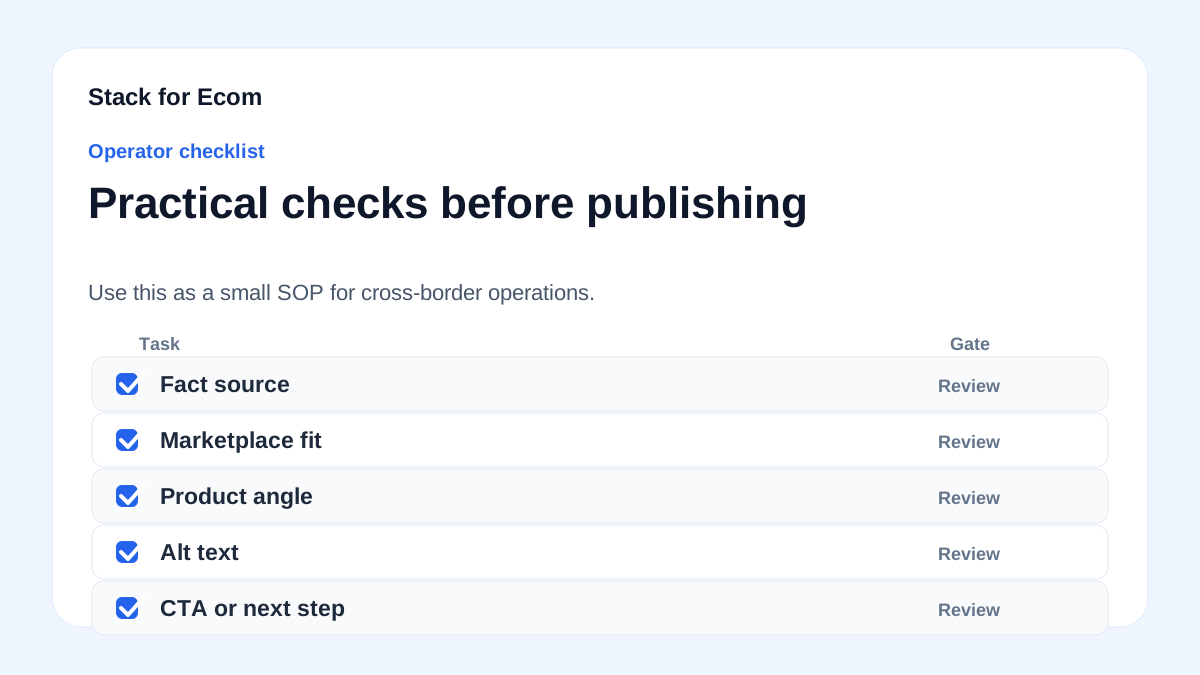
- [ ] Determine if your goods qualify for IOSS (value ≤ €150, not excise goods).
- [ ] Check if you sell via a marketplace that handles VAT—if yes, you may not need IOSS.
- [ ] Appoint an EU-established intermediary (required for non-EU sellers).
- [ ] Choose your EU member state of registration and gather required documents (business registration, ID, etc.).
- [ ] Submit the IOSS registration application through your intermediary.
- [ ] Receive your IOSS VAT number and verify it is correctly formatted.
- [ ] Update your ecommerce platform to charge VAT by EU country at checkout.
- [ ] Ensure your shipping carrier supports electronic transmission of IOSS numbers.
- [ ] Add your IOSS number to commercial invoices and customs declarations.
- [ ] Set up a system to record all IOSS sales for monthly returns.
- [ ] File monthly IOSS returns through your intermediary by the 15th of the following month (or as per your registration state).
- [ ] Keep records for at least 10 years.
- [ ] Review your pricing to include VAT (no separate VAT line).
Potential pitfalls
- Not appointing an intermediary – Non-EU sellers cannot register directly; you must use an EU-established intermediary. Avoid using unofficial services.
- Incorrect VAT rates – Applying the wrong VAT rate for a country can lead to underpayment or overpayment. Use a reliable VAT rate database or tax engine.
- Missing IOSS number on customs documents – If your IOSS number is not transmitted, customs may charge VAT and a handling fee to the buyer, defeating the purpose. Double-check with your carrier.
- Selling goods above €150 – IOSS only applies to consignments up to €150. If you sell a product over €150, you must use standard import procedures. Do not split orders to stay under the threshold—this is illegal.
- Ignoring marketplace rules – If you sell via a marketplace that handles VAT, you must not also charge VAT yourself. Doing so could result in double taxation.
- Failing to keep records – You must keep detailed records for 10 years. Use accounting software to automate this.
- Not updating your ecommerce platform – Ensure your platform can handle VAT by country and display the IOSS number on invoices. Test with a few EU addresses.
Suggested visuals
- Flowchart: Showing the IOSS registration process from appointment of intermediary to monthly filing.
- Table: VAT rates for EU member states (example rates for Germany, France, Italy, etc.) to illustrate how to charge at checkout.
- Screenshot: Example of a commercial invoice with IOSS number and VAT-inclusive price.
- Diagram: Customs clearance process with and without IOSS, highlighting the difference in customer experience.
- Chart: Growth of de minimis shipments (from CBP data) to show the volume of low-value ecommerce and why IOSS matters.
- Checklist graphic: Visual version of the step-by-step checklist for easy reference.
Who this helps / Who should avoid
Who this helps:
- Non-EU ecommerce sellers selling low-value goods (≤ €150) directly to EU consumers via their own website.
- Sellers who want to improve conversion by eliminating hidden fees at delivery.
- Small and medium-sized exporters who want to avoid multiple VAT registrations.
Who should avoid:
- Sellers who primarily sell through online marketplaces that already handle VAT (e.g., Amazon, eBay) – they don't need IOSS.
- Sellers of goods above €150 or excise goods (alcohol, tobacco) – IOSS is not applicable.
- Sellers who only sell B2B or to EU businesses – IOSS is for consumer sales.
Conclusion
IOSS registration can be a game-changer for non-EU ecommerce sellers targeting the EU market. By charging VAT at checkout and filing a single monthly return, you simplify customs clearance and enhance the customer experience. However, the process requires careful planning: appointing an intermediary, updating your ecommerce systems, and ensuring your carrier supports IOSS.
Use the checklist and pitfalls above to guide your implementation. Always verify the latest EU regulations and consult a tax professional for your specific situation. With the right setup, IOSS can help you scale your EU sales with confidence.
References
- https://www.trade.gov/ecommerce
- https://www.cbp.gov/trade/basic-import-export/internet-purchases
- https://www.cbp.gov/trade/basic-import-export/e-commerce
- https://ads.tiktok.com/help/article/about-catalogs
- https://support.google.com/google-ads/answer/6275312