TL;DR
- This article provides a structured Facebook Ads workflow for cross-border ecommerce sellers to test new products efficiently.
- Use automatic targeting for initial data collection, then shift to manual keyword targeting with at least 30 broad-match keywords, refining to exact match based on search term reports.
- Budget benchmarks from Amazon Ads suggest starting with $10/day in the US, £10 in the UK, 10€ in most Eurozone markets, and 1,000円 in Japan; adjust for your market.
- Before scaling, verify import compliance: buyers are importers of record, and goods must meet U.S. CBP rules, including accurate declaration forms and plain-language cargo descriptions.
- De minimis volumes are shifting; monitor CBP data trends to anticipate customs delays or policy changes that could affect your ad-to-delivery timeline.
- Always pair your Facebook Ads testing with a robust analytics loop—use separate campaigns for product groups and review performance reports weekly.
Introduction
Cross-border ecommerce operators face a unique problem: how to validate product-market fit without burning ad spend on unproven items. Running Facebook Ads for product testing is not just about creative and copy—it involves understanding marketplace nuances, budget thresholds, and downstream logistics like customs compliance. A poorly planned test can yield misleading data, wasted budget, or even legal penalties if you ship products that don't meet import regulations.
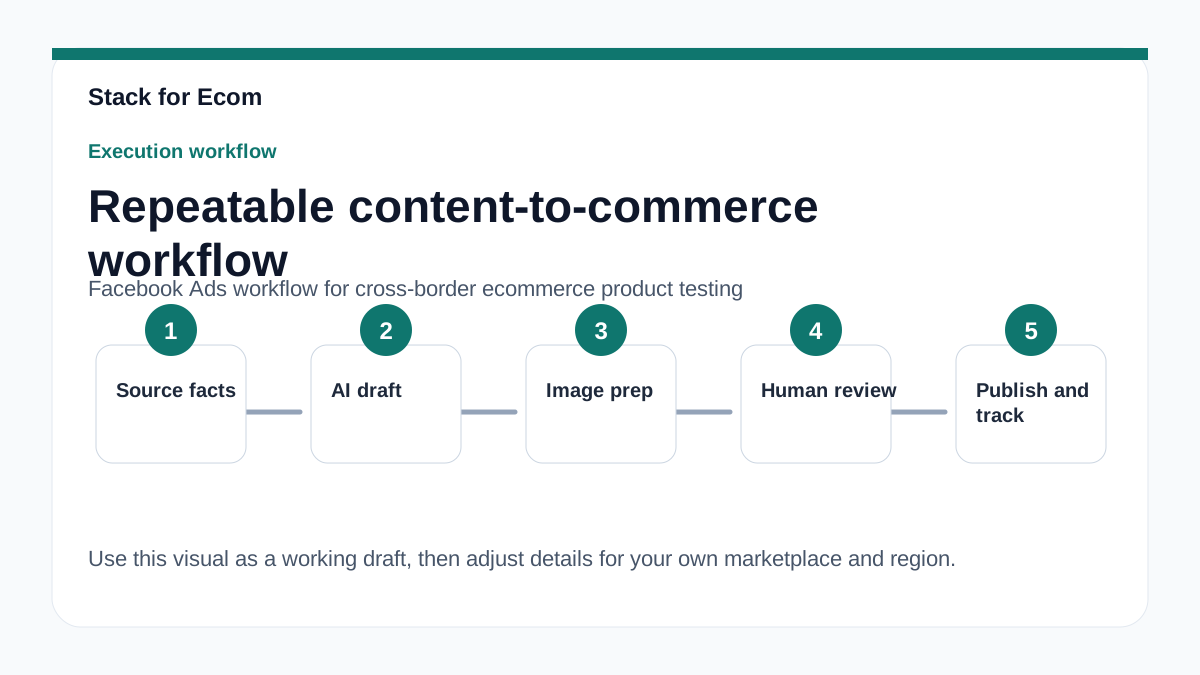
The business impact of a disciplined testing workflow is significant. A structured approach lets you compare performance across markets, identify winning products faster, and scale with confidence. It also reduces the risk of investing in inventory that fails to clear customs or meet safety standards. This article gives you a repeatable SOP that combines ad platform best practices with import compliance checkpoints, so you can test products efficiently and legally.
Use this guide as a practical playbook. It walks you through setting up your first campaigns, choosing targeting modes, analyzing reports, and verifying that your product can legally enter your target market. Each section includes concrete examples and references to official sources, so you can adapt the workflow to your specific products and regions.
Main Content
1. Setting Up Your Ad Account and First Campaign
Before you launch any Facebook Ads, ensure your advertising infrastructure is aligned with the marketplace where you sell. While Facebook Ads itself is a separate platform, cross-border sellers often use multiple channels—Amazon, Google, or a standalone store. If you also sell on Amazon, start with Sponsored Products, which is a self-service cost-per-click ad type for individual product listings that appears in shopping results and on product detail pages. This is Amazon's recommended starting point for new advertisers.
Registration for Amazon Ads requires selecting your country, choosing whether you advertise products sold on Amazon or not, and picking the appropriate account type (e.g., Seller Central, Vendor Central, Author Central, Kindle Direct Publishing, or None of the Above for products shipped and sold by Amazon). This step is critical because it determines your reporting capabilities and billing settings. For Facebook Ads, the setup is different, but the principle remains: your account structure should mirror your business model.
For your first Sponsored Products campaign, Amazon recommends a minimum daily budget of $10 in the United States, £10 in the UK, 10€ in most Eurozone markets, and 1,000円 in Japan, with other market-specific minimums listed. Use these as benchmarks when planning your Facebook Ads budget for product testing. A common mistake is underfunding tests; if you can't afford at least 50 clicks per product, your data will be statistically unreliable.
2. Targeting Strategy: Automatic vs. Manual
Amazon recommends launching the first Sponsored Products campaign with automatic targeting, where the platform matches your ads to shopping queries based on product information and updates with changing shopping trends. This approach is ideal for product testing because it requires minimal input and quickly reveals which search terms trigger impressions. For Facebook Ads, the analogous strategy is to use broad interest targeting or Advantage+ audience targeting, which lets the algorithm find potential buyers based on your pixel data and product page.
Once you have enough data, switch to manual keyword targeting. Amazon advises targeting at least 30 keywords, starting with broad match, and then focusing on top performers from the search term report using phrase or exact match. For Facebook, this translates to creating a separate campaign with manually selected interests, behaviors, or lookalike audiences based on your initial automatic campaign's results. The goal is to narrow your spend to high-intent segments.
Use separate campaigns for product groups, pairing automatic and manual targeting campaigns, and using product targeting simultaneously to focus on browsing trends. This layered approach works across platforms: run one Facebook campaign with automatic placements and another with manual interests, then compare performance. Avoid mixing different product categories in a single campaign, as this dilutes your learning data.
3. Budget Allocation and Reporting Cadence
Budgeting for product tests is not a one-size-fits-all exercise. While Amazon's minimums provide a floor, your actual spend should be based on your profit margins and the cost per acquisition you can sustain. Set a testing budget that allows for at least 3-5 days of data collection per product. If you're testing multiple products, allocate a fixed daily budget per product and resist the urge to shift funds mid-test unless performance is clearly abysmal.
Available Sponsored Products reports include search term report, targeting report, advertising product report, placement report, performance over time report, and purchased product report, each serving distinct performance analysis purposes. For Facebook Ads, use the Ads Manager reporting suite to track CTR, CPC, ROAS, and add-to-cart rates. Create a weekly reporting routine where you pull both platform reports and your own analytics to identify trends.
If you also run Google Shopping campaigns, note that Google Merchant Center and Google Ads accounts must be set up and linked together to run Shopping campaigns or Performance Max campaigns with a Merchant Center feed. This is a separate workflow, but it shares the same testing philosophy: start broad, analyze data, then refine. For cross-border sellers, this multi-platform approach can be powerful, but it requires a unified tracking system like a UTM parameter convention.
4. Customs and Import Compliance Checkpoints
Your ad workflow does not end when a customer clicks "buy." For cross-border ecommerce, you must verify that your product can legally enter the destination country. When goods move from any foreign country to the United States, they are being imported and are subject to U.S. Customs and Border Protection (CBP) rules and regulations. The buyer of goods from a foreign source becomes the importer and is responsible for ensuring compliance with state and federal import regulations, including safety, health, and quota restrictions.
Before launching ads, check whether your product is restricted. CBP may seize, detain, or destroy goods that are unsafe, fail health code requirements, or violate quota restrictions, potentially resulting in fines and penalties for the importer. For example, if you're testing a new cosmetic product, verify that it meets FDA labeling requirements. If you're selling electronics, confirm they comply with FCC regulations. This due diligence should happen before you spend any ad budget.
Shipping choices include international postal service, courier service, or freight; the buyer should discuss delivery arrangements with the seller, as mishandling can lead to theft, misdelivery, or high transportation costs. In your ad copy and product page, be transparent about shipping times and who handles customs. For the U.S. market, the U.S. Customs and Border Protection Declaration form must include a full and accurate description of the merchandise in English, seller's name and address, quantity, purchase price in U.S. dollars, weight, and country of origin. Misrepresenting the value or description of an item on the Customs declaration is illegal and can lead to legal action, fines, or seizure of goods, as CBP randomly inspects packages.
5. Monitoring De Minimis Trends and Regulatory Changes
De minimis import volumes and values are calculated from Bills of Lading (BOLs) and their declared value at the time of import, with a BOL serving as a carrier-issued document evidencing receipt, contract of carriage, and delivery engagement. Total de minimis shipments rose from 636.7 million in fiscal year 2020 to 1.36 billion in fiscal year 2024, then fell to 942.5 million in fiscal year 2025. This decline suggests tightening enforcement or changing consumer behavior, which could affect your delivery timelines.
Total de minimis declared value fluctuated from $67 billion in fiscal year 2020 to $64.6 billion in fiscal year 2024, with a low of $43.5 billion in fiscal year 2021. Air was the dominant de minimis transport mode, with BOLs increasing from 539 million in fiscal year 2020 to 1.1 billion in fiscal year 2024, while truck BOLs grew from 96.7 million to 174.2 million over the same period. If you ship via air, monitor CBP's enforcement priorities; Entry Type 86 BOLs, a de minimis entry mechanism, grew from 122.1 million in fiscal year 2020 to 948 million in fiscal year 2024, then dropped to 635.3 million in fiscal year 2025.
CBP's E-Commerce Strategy focuses on four primary goals, including educating importers on customs compliance, streamlining enforcement processes for rising e-commerce volumes, leveraging partnerships with government agencies and foreign governments, and improving data collection from targeting systems and field personnel. This means your product descriptions on customs forms must be precise. Under 19 CFR §§ 4.7a, 122.48a, 123.91, 123.92, and 128.21, importers must provide a precise, plain-language cargo description detailed enough for U.S. Customs to identify the item's size, shape, and characteristics, regardless of value. Cargo description fields must contain only the commodity description; transmitting superfluous information such as personally identifiable information, packaging type, or carrier disclaimers is not permitted.
Step-by-step checklist
- [ ] Verify product legality: Check if your product can be legally imported into the target market, including safety, health, and quota restrictions (see CBP's internet purchases guide).
- [ ] Set a testing budget: Allocate at least $10/day (or local equivalent) per product for the first week; adjust based on platform minimums.
- [ ] Create a separate ad account or campaign structure: Use distinct campaigns for each product group to avoid data contamination.
- [ ] Launch automatic targeting first: On Facebook, use Advantage+ audience or broad interests; on Amazon, enable automatic targeting.
- [ ] Monitor search term reports: Pull weekly reports to identify high-performing keywords or interests.
- [ ] Build a manual campaign: Target at least 30 keywords (broad match) or equivalent interest segments, then refine to exact match.
- [ ] Prepare customs documentation: Draft a U.S. Customs and Border Protection Declaration form with full English descriptions, seller name/address, quantity, purchase price in USD, weight, and country of origin.
- [ ] Confirm shipping method: Choose between postal, courier, or freight, and clarify delivery terms with your logistics partner.
- [ ] Review CBP de minimis trends: Check current BOL volumes and Entry Type 86 usage to anticipate delays.
- [ ] Set a reporting cadence: Schedule weekly performance reviews using platform reports and your own analytics.
Potential pitfalls
- Underfunded tests: Spending less than the recommended minimum may produce unreliable data. Prevention: Use platform minimums as a floor and budget for at least 50 clicks per product.
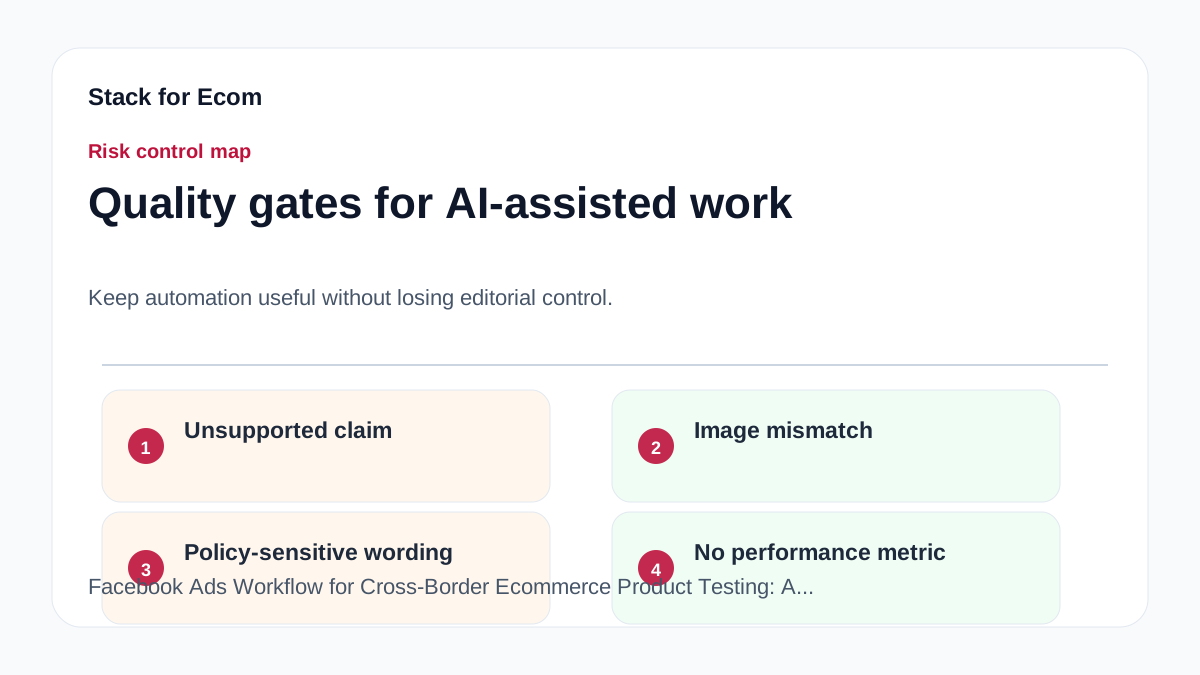
- Ignoring customs compliance: Selling a product that fails safety or labeling rules can lead to seizure. Prevention: Verify product compliance before launching ads, using CBP and relevant agency guidelines.
- Mixing products in one campaign: Combining unrelated items dilutes learning data and confuses algorithm optimization. Prevention: Use separate campaigns for each product group.
- Skipping the search term report: Without analyzing which terms triggered ads, you can't refine targeting. Prevention: Pull reports weekly and adjust keywords or interests accordingly.
- Inaccurate customs declarations: Misrepresenting value or description is illegal and can result in fines. Prevention: Always provide precise, plain-language cargo descriptions and accurate values.
- Overlooking de minimis policy shifts: Changes in CBP enforcement can delay shipments. Prevention: Monitor CBP's e-commerce data and adjust your shipping timelines in ads.
- Not linking accounts for multi-channel ads: If you use Google Shopping, failing to link Merchant Center and Google Ads breaks your feed. Prevention: Complete account linking before launching campaigns.
Suggested visuals
- A workflow diagram showing the product testing funnel: ad setup → automatic targeting → data collection → manual refinement → compliance check → scale.
- A table comparing budget minimums across markets (US $10, UK £10, Eurozone 10€, Japan 1,000円) and recommended testing durations.
- A screenshot of a sample search term report from Amazon Ads or Facebook Ads Manager, highlighting key columns like CTR and conversion rate.
- A chart illustrating de minimis shipment volume trends from FY2020 to FY2025, with annotations for policy changes.
- A checklist infographic for customs documentation, showing required fields on the CBP Declaration form.
- A side-by-side comparison of automatic vs. manual targeting performance metrics for a sample product.
Who this helps / Who should avoid
Who this helps:
- Cross-border ecommerce sellers who are new to product testing and need a structured workflow.
- Small operations teams managing multiple ad platforms (Facebook, Amazon, Google) who want a unified testing approach.
- Exporters who ship to the U.S. and need to understand customs compliance as part of their ad-to-delivery process.
Who should avoid:
- Sellers with established, proven products who are scaling aggressively—this workflow is too slow for rapid expansion.
- Businesses that only sell domestically and have no import/export exposure; the customs sections are irrelevant.
- Teams without the bandwidth to run weekly reporting; this SOP requires consistent data review.
Conclusion
A disciplined Facebook Ads workflow for cross-border product testing is more than just setting up campaigns—it's a full-loop process that includes budget planning, targeting strategy, performance analysis, and customs compliance. By starting with automatic targeting, refining with manual campaigns, and always verifying import legality, you can reduce wasted spend and avoid legal pitfalls. The checklist and pitfalls above give you a repeatable SOP that you can adapt to any market or product category.
Remember that the ad platform is just one part of the equation. Customs rules, de minimis trends, and accurate documentation are equally critical for cross-border success. Use the referenced sources to stay updated on policy changes, and build a reporting rhythm that keeps your team informed. With this workflow, you can test products with confidence and scale only what works.
References
- https://advertising.amazon.com/library/guides/getting-started-with-sponsored-ads
- https://ads.tiktok.com/help/article/about-catalogs
- https://support.google.com/google-ads/answer/6275312
- https://www.cbp.gov/trade/basic-import-export/internet-purchases
- https://www.cbp.gov/trade/basic-import-export/e-commerce