TL;DR
- Build one master listing template, then localize it per marketplace region instead of rewriting from scratch.
- Amazon Global Selling account structures differ by region: North America and Brazil can be unified; Europe covers 28 countries; Asia-Pacific and MENA require country-specific accounts for Australia, India, Japan, UAE, Saudi Arabia, and Egypt.
- Google Merchant Center product data must follow its product data specification to match products to queries and prevent disapprovals.
- Common disapproval causes include incorrect
google_product_categoryorgtin, missing variant attributes, low-quality images, and conflicting feed/website data. - Sponsored Products can support new listings, but Amazon recommends starting with automatic or manual targeting, at least 30 keywords for manual campaigns, and minimum daily budgets by marketplace.
- Compliance, tax, safety, and listing rules vary by country; use Amazon's Manage Your Compliance and Compliance Reference tools, and verify AI-generated content rules for the EU, India, and New York.
- The ITA Global Business Navigator Chatbot is a beta resource for general export information only; it cannot answer company- or market-specific questions and may be inaccurate.
Introduction
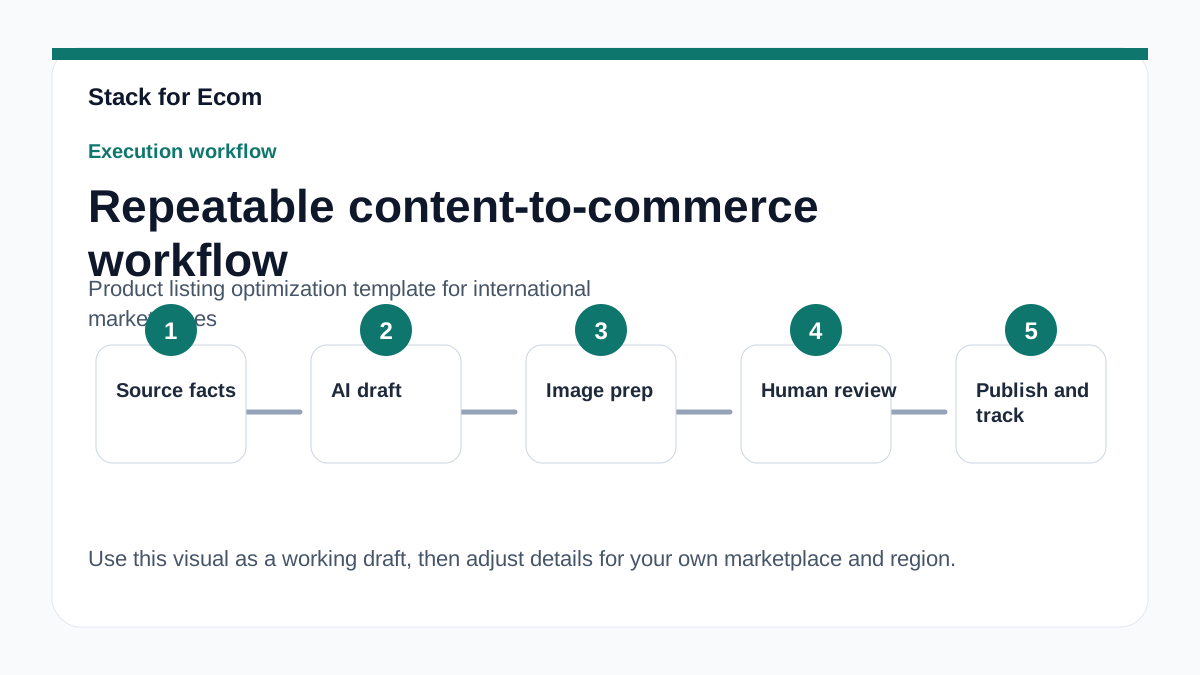
If you sell across multiple international marketplaces, you already know the real bottleneck is not writing one good listing. It is keeping dozens or hundreds of listings consistent, compliant, and locally relevant across regions with different languages, taxes, regulations, and marketplace rules. A product listing optimization template solves that by turning listing creation into a repeatable process: one master data set, one localization workflow, and one compliance checklist per region.
The business impact is direct. Incomplete or inconsistent product data can cause disapprovals, limited eligibility, and display issues on Google Merchant Center, while Amazon listings may fail to meet country-specific product, tax, regulatory, safety, and listing requirements. Poor localization also wastes ad spend because Sponsored Products and other paid placements depend on accurate titles, keywords, and product detail pages. For small teams, the cost of rework is often higher than the cost of setting up the template correctly the first time.
This article gives you a template-based workflow you can adapt to your own catalog. It covers Amazon Global Selling account structures, Google Merchant Center feed requirements, Sponsored Products launch basics, AI content disclosure considerations, and free government resources for exporters. Use it as a working checklist: fill in the template fields for your products, validate them per marketplace, then run the pre-launch checklist before you publish or advertise.
Main Content
1. Start with a master listing template, then localize by region
Your master template should contain every attribute that any marketplace might require, even if some fields stay empty for certain regions. At minimum, include a unique product ID, title, description, category, brand, images, variants, price, condition, and country-specific compliance flags. For Google Merchant Center, the id attribute is required, must be unique per product, max 50 characters, should use the product's SKU where possible, must remain consistent when updating data, and must stay the same across countries or languages. That single rule prevents a surprising number of feed errors when you expand from one country to five.
Amazon Global Selling supports two primary models: selling globally from the US, or selling to US customers from another country. Your template should reflect which model you use because account structure affects where listings live. A North America and Brazil unified account reaches customers in the US, Canada, Mexico, and Brazil. A Europe account provides access to customers in 28 countries. Asia-Pacific and MENA regions require country-specific accounts for Australia, India, Japan, United Arab Emirates, Saudi Arabia, and Egypt. If you are expanding into those countries, plan separate account and listing workflows rather than assuming one global account covers everything.
Localization is more than translation. Attribute names and values using supported values, such as condition: new, refurbished, or used, must be submitted in English, while free-form text attributes like title and description must use the same language across all attributes in a feed. That means your template needs language columns and a rule for which fields stay in English and which get localized. For example, a German listing may have a German title and description but still use English for supported attribute values. Details may vary; check references.
2. Build titles, IDs, and variants that survive feed validation
Titles are where most listing optimization templates either save or sink a catalog. The Google Merchant Center title attribute is required, plain text, max 150 characters, must accurately describe the product and match the landing page, and must not include promotional text, all capital letters, or gimmicky foreign characters. If you create titles with generative AI, you must use the structured title structured_title attribute with the digital source type sub-attribute set to trained algorithmic media; otherwise use the standard title attribute. Build these rules into your template as validation checks, not as afterthoughts.
Variants are the second common failure point. Missing variant attributes such as item_group_id, color, and size can cause disapprovals or limited eligibility. Your template should require a parent-child structure for every product with variations, and it should define which attributes are inherited from the parent and which are child-specific. For example, a T-shirt sold in the US, Canada, and Mexico needs one item_group_id that stays consistent across countries, with color and size values localized only where the marketplace allows it. Incorrect google_product_category or gtin values are another frequent cause of disapprovals, so add a category and GTIN validation step before any feed goes live.
Conflicting data between feed and website is also a common cause of display issues. If your feed says a product is in stock but the landing page says out of stock, or if the price differs, you risk disapproval or poor performance. Your template should include a source-of-truth column for price, availability, and landing page URL, plus a rule that the feed is generated from the same system as the website. This is where a lightweight product information management workflow or a feed management tool helps, but the template itself is the control point. Do not hard-code values in the feed that your website cannot confirm.
3. Map Amazon account structure and compliance into the template
Amazon Global Selling involves steps including creating regional accounts, selecting products per country, completing tax, regulatory, compliance, safety, and listing requirements, listing products, and shipping inventory. Your template should mirror those steps as fields and gates. For each country, add columns for tax registration status, regulatory approval, safety documentation, and listing rule notes. Product requirements, taxes, regulations, compliance, safety, and listing rules vary by country; Amazon provides Manage Your Compliance and Compliance Reference tools to navigate these requirements. Use those tools as your reference, and record the outcome in the template so the next SKU follows the same path.
Account fees also belong in your template because they affect which regions are worth launching. Linked global Amazon selling accounts incur a monthly fee of either USD 39.99 equivalent or the sum of selling plan fees for each region or country with active listings, whichever is lower. Referral fees vary by product category and are calculated as a percentage of total price or a minimum amount, whichever is greater. Add a fee column per marketplace so you can compare net margin before you localize 200 listings into a new region. If the numbers do not work, the template should flag the region as "hold" rather than letting the catalog expand by default.
Compliance is not static. AI regulations in the European Union, India, and New York require ads with certain AI-generated or edited assets to include disclosures or labels; labels can be added via AI label settings in Google Ads, Display & Video 360, Campaign Manager 360, Merchant Center, and Ads Editor. Using Google's AI label setting does not guarantee compliance with specific regulations; sellers should seek legal guidance to ensure ads and assets meet local legal obligations. Add an AI-content disclosure field to your template and a review step for any region with active AI labeling rules. Details may vary; check references.
4. Use Sponsored Products and search term data to optimize listings after launch
Listing optimization does not stop at publish. Sponsored Products are self-service, cost-per-click ads for individual product listings that appear in shopping results and on product detail pages. Amazon recommends new advertisers start with Sponsored Products using automatic targeting or manual keyword or product targeting. For manual keyword targeting campaigns, Amazon advises targeting at least 30 keywords and using the search term report to identify customer search terms. Your template should include a post-launch column for top search terms, so listing titles and backend keywords can be updated based on real customer language rather than guesswork.
Amazon recommends starting with broad match for keywords, then focusing on top performers from the search term report with phrase match or exact match. It also advises using separate campaigns for product groups, with each group having a pair of automatic targeting and manual targeting campaigns. Sponsored Products reports include search term report, targeting report, advertising product report, placement report, performance over time report, and purchased product report. Build a monthly review into your template: pull the search term report, add high-converting terms to titles or backend fields where allowed, and move wasted spend terms to negative keywords.
Budgets matter for small teams. Amazon recommends a minimum daily budget of $10 for the United States and Canada, £10 for the United Kingdom, and 10 € for Germany, France, Italy, Spain, Belgium, Ireland, and the Netherlands. If you are launching in multiple countries, your template should estimate ad budget per marketplace before you commit to a full localization. Also note that South Africa is launching to domestic sellers and vendors only, per the source, so do not assume every marketplace is open to cross-border sellers. Details may vary; check references.
5. Use free government resources for export research, but verify everything
The International Trade Administration (ITA) offers a Global Business Navigator Chatbot in beta version testing, designed to provide general information on the exporting process and resources for U.S. exporters. The Chatbot is developed using Microsoft's Azure AI services and is trained on ITA's export-related content. Its knowledge is limited to public information on the Export Solutions web pages of Trade.gov and cannot provide responses specific to a company's product or a specific foreign market. Use it for orientation, not for final compliance decisions.
As a beta product, the Chatbot's responses may occasionally produce inaccurate or incomplete information, and users should double-check responses using provided references or by visiting the Export Solutions web pages on Trade.gov. The Chatbot does not collect user information and does not use chat history to learn new information; all feedback is anonymous. Users are advised not to enter personally identifiable information (PII), sensitive, or proprietary information into the Chatbot. The Chatbot supports a wide range of languages, but because it is trained in English and responses are translated, users should verify the translation as it may have difficulty with acronyms, abbreviations, and nuances in a language other than English. Conversations with the Chatbot may be reviewed to help ITA improve the tool and address harmful, illegal, or otherwise inappropriate questions.
For your listing template, treat the Chatbot as a starting point for market research and a pointer to official resources. It cannot provide responses specific to a company's product or a specific foreign market, but its reference pages guide users to other government resources and market research. Record any findings in your template as "unverified" until you confirm them with the relevant marketplace documentation or a qualified advisor. This is especially important for tax, safety, and regulatory fields where an error can block an entire country launch.
6. A note on tools and missing sources
A product listing optimization template is mostly a data discipline problem, so lightweight software helps: a spreadsheet or product information management system for the master template, a feed management tool for Google Merchant Center validation, and a marketplace listing tool for bulk updates. The goal is not to buy more software; it is to make the template the single source of truth so that titles, IDs, variants, and compliance fields are consistent across every marketplace.
One source in the allowlist, the TikTok Ads Help Center article about catalogs, is no longer available or failed to load, and the page displays a "Back to home page" link with a 5-second countdown. No product listing optimization template content is present in that source, and no factual details about international marketplace listing requirements can be extracted from it. If you need TikTok catalog guidance, check the current TikTok Ads Help Center directly. Details may vary; check references.
Step-by-step checklist
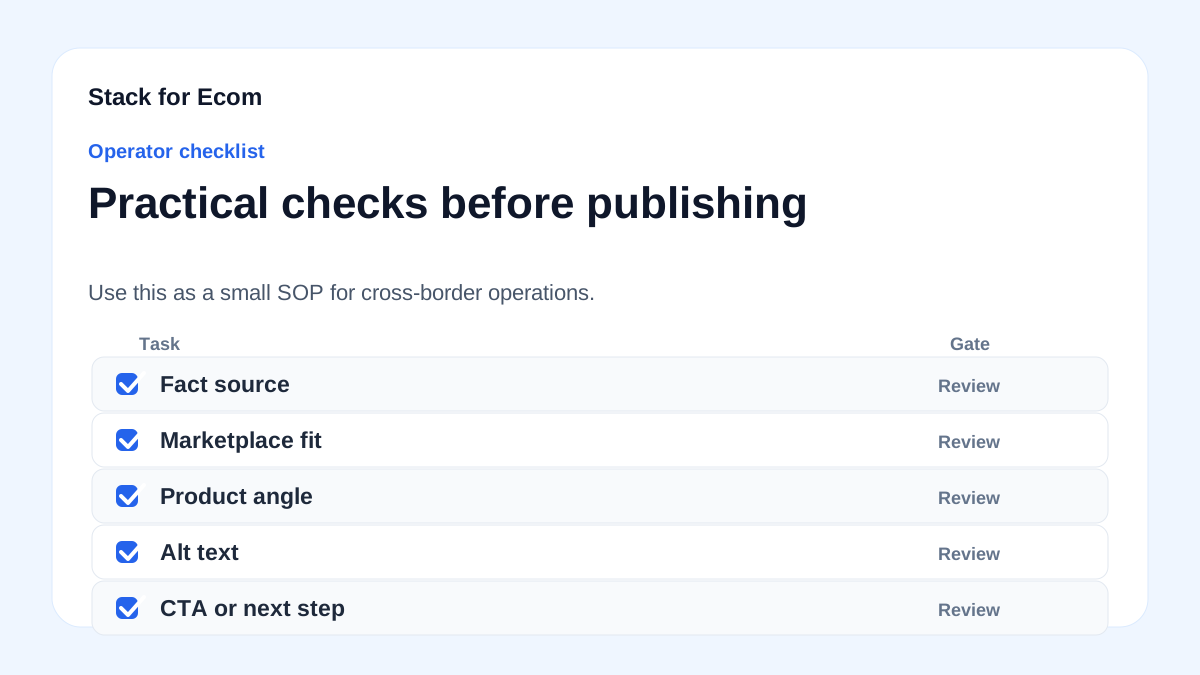
- Create a master listing template with columns for ID, title, description, category, brand, images, variants, price, condition, and country-specific compliance flags.
- Lock the
idattribute: unique per product, max 50 characters, SKU-based where possible, consistent across updates, countries, and languages. - Validate titles against the 150-character limit, plain text rule, landing page match, and no promotional text, all caps, or gimmicky foreign characters.
- Add a structured title field for any generative AI titles, with the digital source type sub-attribute set to trained algorithmic media.
- Require variant attributes such as
item_group_id,color, andsizefor every product with variations, and define parent-child inheritance rules. - Verify
google_product_categoryandgtinvalues before publishing any feed, and fix mismatches before they cause disapprovals. - Confirm that feed price, availability, and landing page URL match the website for every SKU and every country.
- Map Amazon account structure per region: unified North America and Brazil, Europe for 28 countries, and country-specific accounts for Australia, India, Japan, UAE, Saudi Arabia, and Egypt.
- Record tax, regulatory, compliance, safety, and listing requirements per country using Amazon's Manage Your Compliance and Compliance Reference tools.
- Calculate monthly account fees and referral fees per marketplace before localizing a full catalog.
- Add an AI-content disclosure field and review step for the EU, India, and New York, and seek legal guidance where required.
- Set up Sponsored Products with automatic or manual targeting, at least 30 keywords for manual campaigns, and the recommended minimum daily budget for each marketplace.
- Schedule a monthly search term report review and update titles, backend keywords, and negative keywords based on top performers.
- Use the ITA Global Business Navigator Chatbot only for general export orientation, never for company- or market-specific decisions, and never enter PII or proprietary information.
- Mark all unverified research as "unverified" until confirmed with marketplace documentation or a qualified advisor.
Potential pitfalls
- Inconsistent IDs across countries. If the
idchanges when you localize, feeds and listings can break. Prevention: keep one SKU-based ID per product and never change it across countries or languages.
- Missing variant attributes. Missing
item_group_id,color, orsizecan cause disapprovals or limited eligibility. Prevention: make variant fields required in the template and validate before publishing. - Wrong category or GTIN. Incorrect
google_product_categoryorgtinvalues are a common disapproval cause. Prevention: add a category and GTIN validation step and keep a reference list of approved values. - Feed and website conflict. Conflicting data between feed and website causes display issues. Prevention: generate the feed from the same system as the website and check price, availability, and URL per SKU.
- Assuming one account covers all regions. Asia-Pacific and MENA require country-specific accounts for Australia, India, Japan, UAE, Saudi Arabia, and Egypt. Prevention: map account structure before listing and budget for separate account workflows.
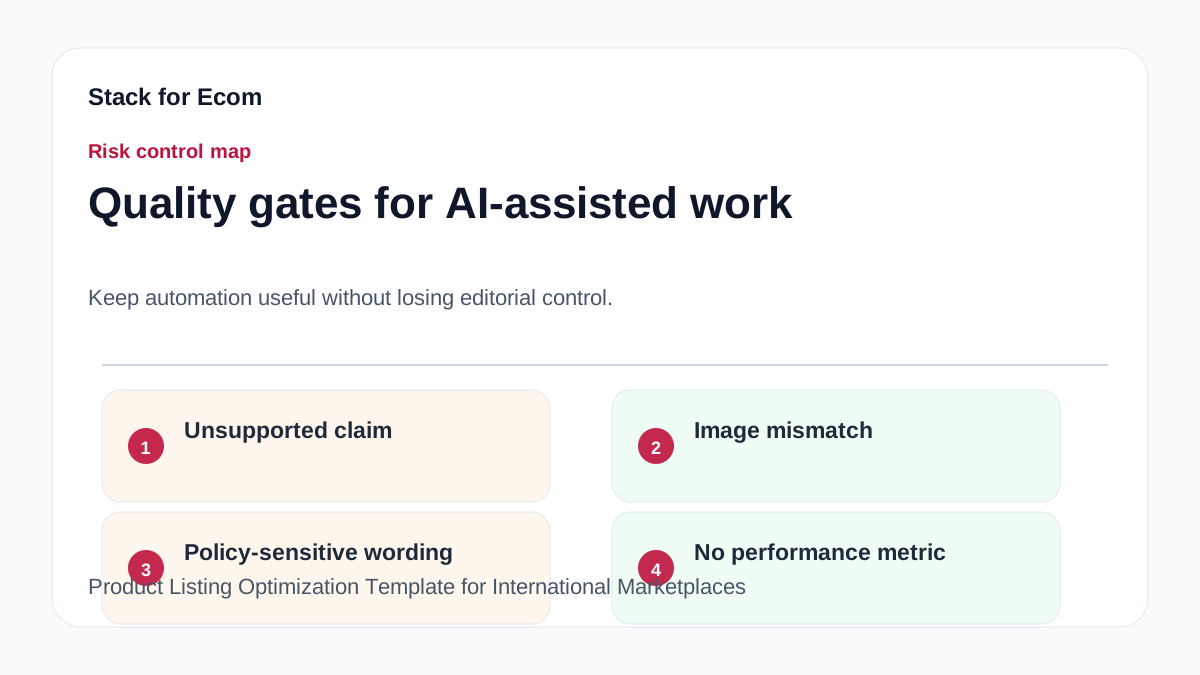
- Ignoring AI disclosure rules. AI regulations in the EU, India, and New York may require labels for certain AI-generated or edited assets, and Google's AI label setting does not guarantee compliance. Prevention: add a disclosure field and seek legal guidance for each affected market.
- Treating the ITA Chatbot as authoritative. It is a beta tool with limited knowledge and may produce inaccurate or incomplete information. Prevention: use it for orientation only, verify with official references, and never enter PII or proprietary data.
- Launching ads without budget math. Minimum daily budgets vary by marketplace, and referral fees vary by category. Prevention: estimate ad budget and fees per country before committing to a full localization.
Suggested visuals
- A master listing template spreadsheet screenshot showing columns for ID, title, description, category, variants, price, condition, and compliance flags, with sample rows for three countries.
- A regional account map diagram showing Amazon North America and Brazil unified account, Europe account for 28 countries, and country-specific accounts for Australia, India, Japan, UAE, Saudi Arabia, and Egypt.
- A Google Merchant Center validation workflow chart from master data to feed submission to disapproval review, highlighting
id,title,google_product_category,gtin, and variant attributes. - A Sponsored Products campaign structure diagram showing separate campaigns per product group, each with an automatic targeting campaign and a manual targeting campaign.
- A monthly search term report review table with columns for search term, match type, clicks, conversions, action (add to title, add as exact, add as negative).
- A compliance checklist table per country with columns for tax, regulatory, safety, listing rules, AI disclosure, and status (confirmed, unverified, action needed).
Who this helps / Who should avoid
This helps cross-border sellers, exporters, and small operations teams who are expanding from one marketplace to multiple countries and need a repeatable listing template. It is especially useful for teams managing Amazon Global Selling accounts, Google Merchant Center feeds, and Sponsored Products campaigns without a large localization department. It also helps operators who need to document compliance and fee assumptions before committing to a new region.
This is not a substitute for legal, tax, or compliance advice. If you need company-specific or market-specific guidance, the ITA Chatbot cannot provide it, and you should consult qualified advisors. If you are looking for a done-for-you listing service or a guaranteed compliance solution, this template is not that. Also avoid using this as a source for TikTok catalog details, because the referenced TikTok Ads Help Center article is no longer available or failed to load. Details may vary; check references.
Conclusion
A product listing optimization template turns international expansion from a series of one-off projects into a repeatable operating system. Start with a master data set, lock the fields that marketplaces validate most strictly, and localize only what needs to change per country. Use Amazon's regional account structure and compliance tools, Google Merchant Center's product data specification, and Sponsored Products search term data to keep improving after launch.
Keep the template honest. Mark unverified research as unverified, record fee and budget assumptions before you scale, and treat beta tools like the ITA Global Business Navigator Chatbot as orientation rather than authority. If you do that, your listings will be more consistent, your feeds will face fewer disapprovals, and your team will spend less time fixing avoidable errors.
References
- https://sell.amazon.com/global-selling
- https://www.trade.gov/ecommerce
- https://advertising.amazon.com/library/guides/getting-started-with-sponsored-ads
- https://ads.tiktok.com/help/article/about-catalogs
- https://support.google.com/merchants/answer/7052112
- https://www.trade.gov/export-solutions